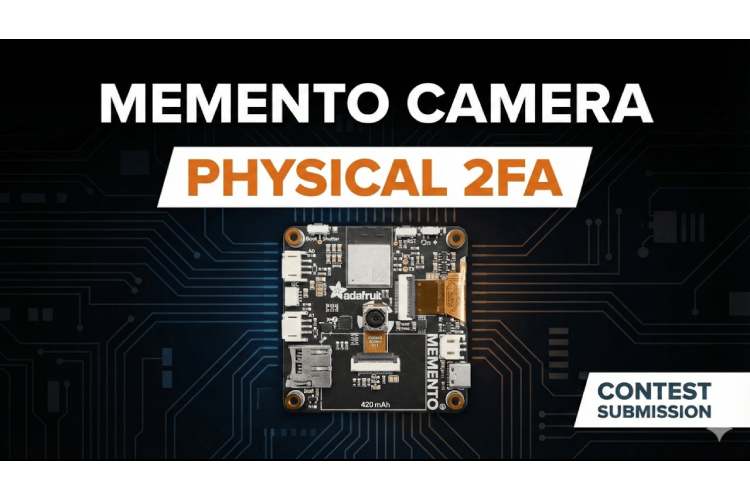
Physical 2FA
A smart vault built on an ESP32 Memento Camera that uses physical objects as a second authentication factor, enabling offline, vision-based two-factor security without cloud access.
- Suitable forB.Tech Embedded students
- Build time3-4 weeks
- LevelIntermediate
- Available atAjvika Labs, Kakinada
About this project
Only the Board was used.
Connect the Board to PC/Laptop or power it up with Battary.
Offline Network & Storage: The Memento Camera programmable Baord is set up as its own Access Point, named MEMENTO_VAULT, so it does not require a home router to be operational. The user's data, such as their username, password, and up to four stored "views" of their physical key, is stored as a C++ struct in the board's RAM.
Embedded Web Pages: The HTML, CSS, and JavaScript for the interface, or the login page, camera scanner, and vault page, are stored directly in the program using PROGMEM, eliminating the need for memory or an SD card.
Client-Side Image Hashing: This is the heavy lifter of the program. When a photo is taken, the JavaScript running on the client's phone shrinks it down to a tiny 32x32 pixel grid, converts it to grayscale, and then converts it to a 1024-character string of 1s and 0s depending on brightness. It only sends this lightweight version of the image back to the ESP32.
Fuzzy Verification: The handleVerifyObj() function then takes this string and compares it against the four stored strings. The code also includes a 15% error tolerance, as lighting and angles will never be perfect twice. If it's close enough, a 5-minute window is granted to view the vault.
Complete Project Code
Detailed Project Description
Physical 2FA grants or denies access based on a credential and keeps an audit log of every attempt.
How It Works
1. A credential (card, tag, fingerprint, code, token) is presented and read.
2. It is checked against the stored list of authorised users.
3. On success the lock/relay is released and the event logged; on failure an alert is raised.
4. An admin interface manages users and views the log.
Key Components and Their Role
- ESP32: dual-core Wi-Fi + Bluetooth microcontroller that runs the firmware, reads the sensors and hosts the network connection.
- Bluetooth Low Energy: short-range low-power wireless link to a phone or browser.
- microSD card module: storage for logs, audio or images over SPI.
- Camera module: image sensor used for capture, streaming or computer vision.
Implementation Steps
1. Collect the components and study each module's datasheet (pin-out, voltage, interface).
2. Wire the circuit on a breadboard following the pin mapping; power sensors from the correct rail (3.3 V / 5 V).
3. Install ESP32, BLE, C++ and the required libraries; flash a minimal test sketch for each module separately.
4. Write the main firmware: read sensors → process → drive outputs / send data.
5. Configure network or cloud credentials and test communication end-to-end.
6. Calibrate thresholds, add error handling (reconnect, sensor time-out) and run a long-duration test.
7. Finalise on a PCB / enclosure and document wiring, code and results.
Key Features
- Credential-based access
- Admin user management
- Audit log
- Failed-attempt alerts
Expected Output
On completion the student will have a door/relay that opens only for authorised credentials, with every attempt recorded.
Deliverables
- Complete source code with comments
- Circuit diagram and pin mapping
- Project report with screenshots and results
- Demonstration-ready build
Connect the Board to PC/Laptop or power it up with Battary.
Offline Network & Storage: The Memento Camera programmable Baord is set up as its own Access Point, named MEMENTO_VAULT, so it does not require a home router to be operational. The user's data, such as their username, password, and up to four stored "views" of their physical key, is stored as a C++ struct in the board's RAM.
Embedded Web Pages: The HTML, CSS, and JavaScript for the interface, or the login page, camera scanner, and vault page, are stored directly in the program using PROGMEM, eliminating the need for memory or an SD card.
Client-Side Image Hashing: This is the heavy lifter of the program. When a photo is taken, the JavaScript running on the client's phone shrinks it down to a tiny 32x32 pixel grid, converts it to grayscale, and then converts it to a 1024-character string of 1s and 0s depending on brightness. It only sends this lightweight version of the image back to the ESP32.
Fuzzy Verification: The handleVerifyObj() function then takes this string and compares it against the four stored strings. The code also includes a 15% error tolerance, as lighting and angles will never be perfect twice. If it's close enough, a 5-minute window is granted to view the vault.
Complete Project Code
Detailed Project Description
Physical 2FA grants or denies access based on a credential and keeps an audit log of every attempt.
How It Works
1. A credential (card, tag, fingerprint, code, token) is presented and read.
2. It is checked against the stored list of authorised users.
3. On success the lock/relay is released and the event logged; on failure an alert is raised.
4. An admin interface manages users and views the log.
Key Components and Their Role
- ESP32: dual-core Wi-Fi + Bluetooth microcontroller that runs the firmware, reads the sensors and hosts the network connection.
- Bluetooth Low Energy: short-range low-power wireless link to a phone or browser.
- microSD card module: storage for logs, audio or images over SPI.
- Camera module: image sensor used for capture, streaming or computer vision.
Implementation Steps
1. Collect the components and study each module's datasheet (pin-out, voltage, interface).
2. Wire the circuit on a breadboard following the pin mapping; power sensors from the correct rail (3.3 V / 5 V).
3. Install ESP32, BLE, C++ and the required libraries; flash a minimal test sketch for each module separately.
4. Write the main firmware: read sensors → process → drive outputs / send data.
5. Configure network or cloud credentials and test communication end-to-end.
6. Calibrate thresholds, add error handling (reconnect, sensor time-out) and run a long-duration test.
7. Finalise on a PCB / enclosure and document wiring, code and results.
Key Features
- Credential-based access
- Admin user management
- Audit log
- Failed-attempt alerts
Expected Output
On completion the student will have a door/relay that opens only for authorised credentials, with every attempt recorded.
Deliverables
- Complete source code with comments
- Circuit diagram and pin mapping
- Project report with screenshots and results
- Demonstration-ready build
Technologies used
Hardware components
- ESP32
- Board
- Camera
Project demo video
What you get
- Working project / hardware kit, tested before delivery
- Complete source code with explanation
- Project demo and guidance for your viva
- Project report, PPT and IEEE paper support (on request)
Delivery & Payment
Delivery takes a minimum of two weeks from the date your inquiry is confirmed.
Payment is in two parts:
• 50% advance to start the project
• Remaining 50% before delivery
Note:
• Documentation and PPT are not included by default
• If you need documentation/PPT, it can be arranged for extra time and cost
We'll confirm the exact timeline and cost with you after reviewing your requirements.
Related Embedded projects

Embedded
ESP32 Fingerprint Attendance System with Live Web Dashboard
Build a biometric attendance system using ESP32 with AS608 fingerprint sensor that logs attendance with timestamp to web dashboard and Googl...
View project
Embedded
Mars Rover Robot Replica using ESP32 CAM and Arduino
Build a Mars Rover robot replica using ESP32-CAM and Arduino with a rocker-bogie suspension system, live video streaming, and smartphone app...
View project
Embedded
ESP32 CAN Bus Tutorial Interfacing MCP2515 with ESP32
Learn CAN bus communication with ESP32 and MCP2515 CAN controller to send and receive data in automotive and industrial applications.
View project
Embedded
ESP32 MP3 Music Player with SD Card and I2S Amplifier
Build a standalone ESP32 MP3 music player that reads audio from SD card and outputs high-quality audio via I2S DAC amplifier with web contro...
View project