Kavach
Kavach is an ESP32-S3 based offline voice AI assistant for elderly users, enabling emergency alerts, appliance control, and home safety using MQTT and IoT nodes.
- Suitable forB.Tech Embedded students
- Build time3-4 weeks
- LevelBeginner
- Available atAjvika Labs, Kakinada
About this project
Kavach is a desktop AI-assisted communication and smart-home support device designed specifically for elderly users who struggle with smartphones or modern digital interfaces. Inspired by the challenges faced by my own grandparents, who live alone and are digitally illiterate, this project aims to provide them with a safe, simple, and reliable way to communicate with their loved ones without depending on others.
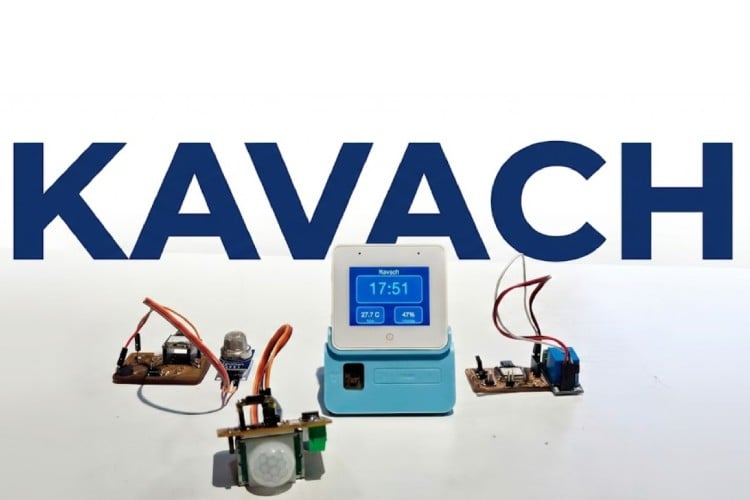
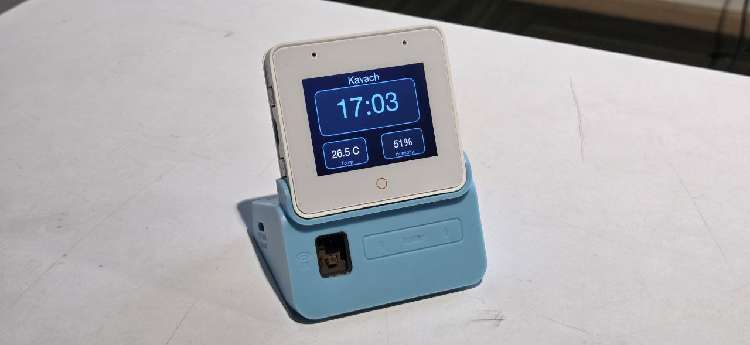
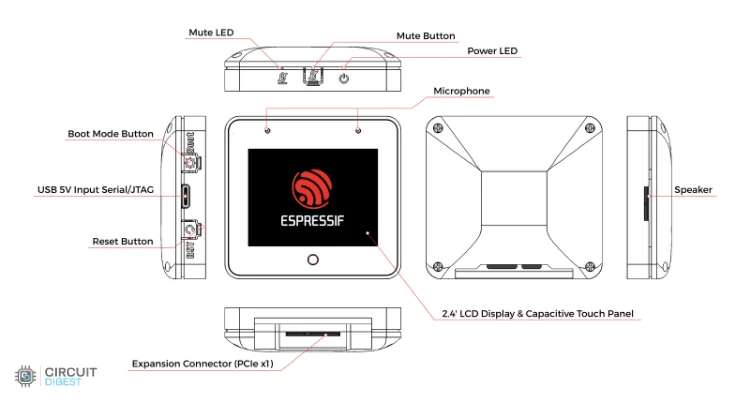
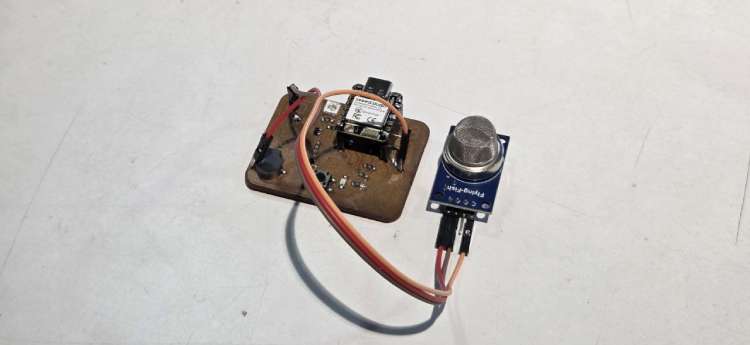
Using the ESP32-S3 Box-3 AIoT Kit, Kavach enables hands-free interaction through voice commands, allowing seniors to alert family members, send emergency alerts, and control essential home appliances effortlessly. The main control unit of Kavach is the ESP32 S3 Box 3 with the sensor dock, the system also integrates further ESP32 home IoT nodes for control and sensing. The kitchen node alerts the elders and the caregivers when there is a gas leakage. The PIR Sensor detects any intrusion at night and alerts the elders and caregivers. The system also continuously monitors temperature and humidity levels, automatically notifying emergency contacts if the environment becomes unsafe.
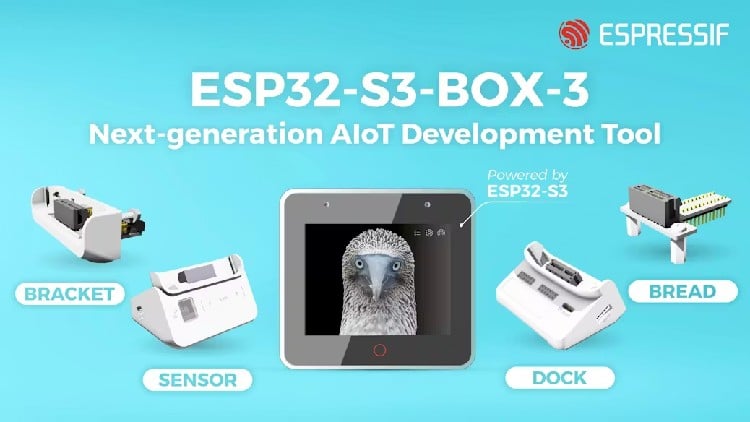
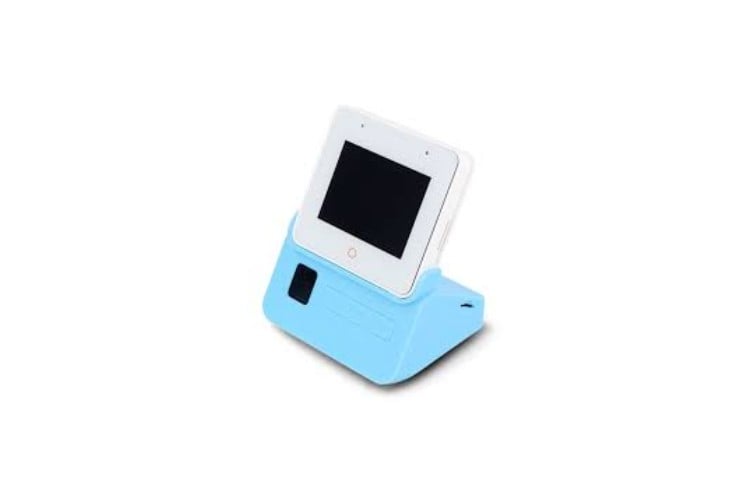
ESP32-S3 BOX 3: ESP32 S3, 2 x Microphones, Speaker, 2.4-inch Touchscreen TFT LCD, Touch Button
Sensor Dock: Temperature + Humidity Sensor, IR Emitter-Receiver, Radar
ESP32 Dev Module, MQ-5 Gas Sensor
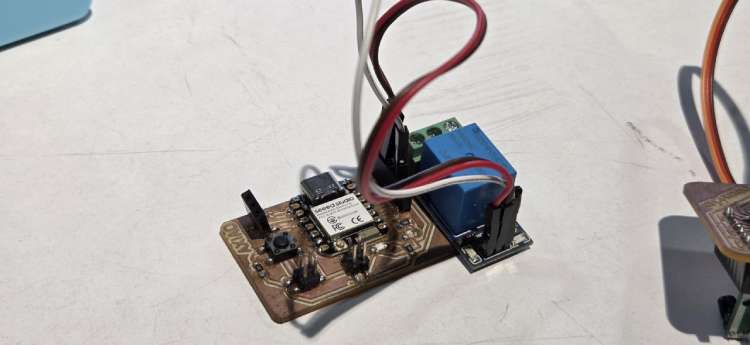
XIAO ESP32C6, 5V Relay Module
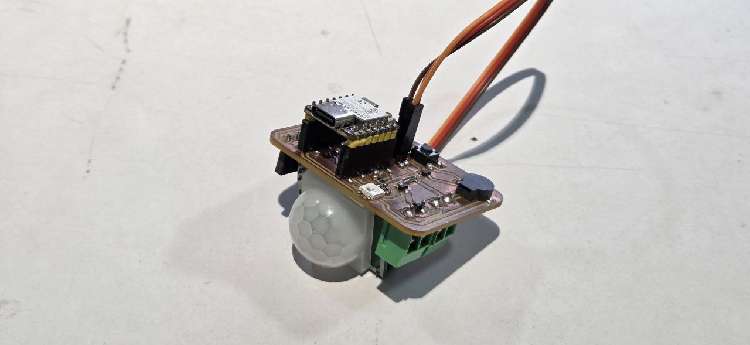
XIAO ESP32C6, PIR Sensor Module
Offline keyword spotting using the ESP32-S3’s neural network acceleration to detect commands using the ESP-SR. The built-in dual microphones and ES8311 audio codec will ensure accurate speech detection even in noisy environments.
ESP-SR (Espressif Speech Recognition)
ESP-SR is Espressif’s offline speech framework for ESP chips. It runs on the device (no cloud) and does:
Wake word detection – “Is the user saying the wake phrase?”
Command recognition – “Which command phrase did they say?”
Audio goes through an AFE (Audio Front-End) for processing, then into WakeNet and MultiNet models that are stored in the model SPIFFS partition (about 8.6 MB) and loaded at runtime.
WakeNet is the model that detects the wake word (e.g. “Hi ESP” or “Alexa”). When it fires, the device switches to listening for a command and runs MultiNet. Until then, it only checks for the wake word to save CPU and power.
In this project the wake word is chosen in menuconfig (Kavach Configuration → Wake word). The code then picks one of these from the model partition:
Hi ESP – WakeNet 9 multi-word model: SR_WN_WN9_HIESP_MULTI
Alexa – WakeNet 9: SR_WN_WN9_* with “alexa”
Hi ESP and Alexa – Multi-wake model (e.g. hiesp_alexa / alexa_hiesp ), or fallback to Hi ESP
sdkconfig.defaults also enables Hi Lexin (Chinese-style wake): SR_WN_WN9_HILEXIN_MULTI. So the models used for wake are WakeNet 9 (WN9) variants: HIESP, Alexa, and/or HILEXIN, depending on Kconfig.
MultiNet is the model that recognizes command phrases after the wake word. It turns the next few seconds of speech into a command ID that the app maps to actions (help, light, fan, AC, etc.).
English commands → MultiNet English model
Chinese commands → MultiNet Chinese model
Language is set in settings (NVS). The code loads the matching MultiNet from the model partition by name (e.g. ESP_MN_ENGLISH / ESP_MN_CHINESE ). The build is set up for MultiNet 6 quantized:
English: SR_MN_EN_MULTINET6_QUANT
Chinese: SR_MN_CN_MULTINET6_QUANT
So the models used for commands are MultiNet 6 quantized (mn6, English and Chinese). The code also supports mn7 by name (e.g. strstr(mn_name, \"mn6\") || strstr(mn_name, \"mn7\")), but the default config is MultiNet 6.
Start with \"Alexa\". The device beeps and enters voice mode. Say your command within a few seconds.
Voice commands (English)
Help / emergency ( → MQTT kavach/help )
I need help - Sends alert to emergency contacts
Send alert - Sends alert
Emergency - Sends alert
Call family - Sends “Call family”
Call my son - Sends “Call my son”
Call home - Sends “Call home”
Help - Sends help request
What can you do - Sends “What can you do”
Appliances ( → MQTT kavach/appliances or IR for AC if learned)
Turn on the Light / Light on / Light -Publishes light ON
Turn off the Light / Light off - Publishes light OFF
Fan on / Fan - Publishes fan ON
Fan off - Publishes fan OFF
Turn on the Air / AC on / AC - Sends IR AC-on (if learned) or publishes AC ON
Turn off the Air / AC off - Sends IR AC-off (if learned) or publishes AC OFF
How MQTT is used in Kavach
Broker: Configured via Kavach Configuration in menuconfig: MQTT Broker URI (e.g. mqtt://192.168.1.100:1883 ). Optional MQTT username and MQTT password for authenticated brokers.
Start: The MQTT client is started in main.c after WiFi connects. It runs in the background and reconnects if the link drops.
Publish: The device publishes to configurable topics (help, appliances, sensor).
Topic names for help, appliances, and sensor can be changed in menuconfig (Kavach Configuration). The ping, pong, gas, and intruder topic names are fixed in code.
1. Help — CONFIG_KAVACH_MQTT_TOPIC_HELP (default: fabacademy/kavach/help)
When: User says a help/emergency phrase (“I need help”, “Send alert”, “Call family”, “Help”, etc.) or presses the Home button (emergency).
2. Appliances — CONFIG_KAVACH_MQTT_TOPIC_APPLIANCES (default: fabacademy/kavach/appliances)
When: User says an appliance command (light on/off, fan, AC, play/pause/next, color).
3. Sensor — CONFIG_KAVACH_MQTT_TOPIC_SENSOR (default: fabacademy/kavach/sensor)
When: Periodically after MQTT connect (interval set by Sensor publish interval in menuconfig, default 30 seconds). Only if the board has a temperature/humidity sensor and the driver returns data.
4. Pong — fixed topic fabacademy/kavach/pong
When: Only when the device receives a message on fabacademy/kavach/ping.
1. Ping — fixed topic fabacademy/kavach/ping
Who publishes: Your app or any client.
2. Gas — fixed topic fabacademy/kavach/gas
Who publishes: Your gas sensor or gateway (when a leak is detected).
3. Intruder — fixed topic fabacademy/kavach/intruder
Who publishes: Your PIR/motion sensor or gateway.
Device boots, connects to WiFi, then starts the MQTT client and connects to the broker.
When the user speaks:
Help/emergency phrases → publish to help (and show alert on screen).
Appliance phrases → publish to appliances (and, for AC, send IR if codes are learned).
Every N seconds (e.g. 30), if sensor is present, device publishes to sensor.
When someone publishes to ping, device publishes pong.
When someone publishes a gas message containing LEAK, device shows gas alert and plays alarm.
When someone publishes an intruder message containing \" motion \", device shows intruder alert.
The flutter App is for the care Giver to get alert messages in time of emergencies and during alerts of gas leakage, temperature rise and intruder alerts. It also logs the alert messages and records their frequency.
Kavach brings together voice AI, IoT connectivity, and user-friendly interaction to support elderly individuals who are not comfortable with smartphones or digital devices. By leveraging the ESP32-S3 Box-3’s audio, AI, and connectivity features, the system provides a reliable way to communicate, control home appliances, and stay safe; using only voice. The project is a complete, real-world application of embedded AI and IoT to improve independence, security, and quality of life for seniors living alone.
Seeed Studio XIAO ESP32 C6
The board has everything integrted into it therefore doesn't require a circuit diagram still
Kavach is an elderly-focused AI assistant built for Espressif ESP32-S3 Box boards (ESP32-S3-BOX, ESP32-S3-BOX-Lite, ESP32-S3-BOX-3). It provides offline voice recognition, a simple UI, and MQTT-based connectivity for emergency alerts and appliance control. The software is organized into application modules, a GUI layer, hardware abstraction (BSP), and supporting libraries.
The Kavach demo is built with ESP-IDF (Espressif IoT Development Framework). The build uses the standard CMake/component setup and is driven by idf.py (build, flash, monitor). FreeRTOS is used for tasks, queues, and event groups; NVS stores settings. Connectivity is handled by the ESP-IDF WiFi (STA), MQTT client, and SNTP components. Hardware is accessed via IDF drivers: I2S for microphone and audio playback, I2C for the codec and sensors, RMT for IR transmit/receive, and SPIFFS for the storage partition. The UI runs on LVGL, and board support (display, codec, buttons, sensors) comes from the BSP component that wraps the esp-box-3 board package. Project options (WiFi credentials, MQTT broker, wake word, timezone, etc.) are configured with Kconfig via idf.py menuconfig (Kavach Configuration) or sdkconfig.defaults.
2. Application Entry and Initialization Flow
Execution starts in app_main() in main/main.c. The firmware:
Initializes NVS – Flash-based non-volatile storage for parameters and WiFi credentials. If the NVS partition layout changes or is corrupted, it may erase and reinitialize.
Using the ESP32-S3 Box-3 AIoT Kit, Kavach enables hands-free interaction through voice commands, allowing seniors to alert family members, send emergency alerts, and control essential home appliances effortlessly. The main control unit of Kavach is the ESP32 S3 Box 3 with the sensor dock, the system also integrates further ESP32 home IoT nodes for control and sensing. The kitchen node alerts the elders and the caregivers when there is a gas leakage. The PIR Sensor detects any intrusion at night and alerts the elders and caregivers. The system also continuously monitors temperature and humidity levels, automatically notifying emergency contacts if the environment becomes unsafe.
ESP32-S3 BOX 3: ESP32 S3, 2 x Microphones, Speaker, 2.4-inch Touchscreen TFT LCD, Touch Button
Sensor Dock: Temperature + Humidity Sensor, IR Emitter-Receiver, Radar
ESP32 Dev Module, MQ-5 Gas Sensor
XIAO ESP32C6, 5V Relay Module
XIAO ESP32C6, PIR Sensor Module
Offline keyword spotting using the ESP32-S3’s neural network acceleration to detect commands using the ESP-SR. The built-in dual microphones and ES8311 audio codec will ensure accurate speech detection even in noisy environments.
ESP-SR (Espressif Speech Recognition)
ESP-SR is Espressif’s offline speech framework for ESP chips. It runs on the device (no cloud) and does:
Wake word detection – “Is the user saying the wake phrase?”
Command recognition – “Which command phrase did they say?”
Audio goes through an AFE (Audio Front-End) for processing, then into WakeNet and MultiNet models that are stored in the model SPIFFS partition (about 8.6 MB) and loaded at runtime.
WakeNet is the model that detects the wake word (e.g. “Hi ESP” or “Alexa”). When it fires, the device switches to listening for a command and runs MultiNet. Until then, it only checks for the wake word to save CPU and power.
In this project the wake word is chosen in menuconfig (Kavach Configuration → Wake word). The code then picks one of these from the model partition:
Hi ESP – WakeNet 9 multi-word model: SR_WN_WN9_HIESP_MULTI
Alexa – WakeNet 9: SR_WN_WN9_* with “alexa”
Hi ESP and Alexa – Multi-wake model (e.g. hiesp_alexa / alexa_hiesp ), or fallback to Hi ESP
sdkconfig.defaults also enables Hi Lexin (Chinese-style wake): SR_WN_WN9_HILEXIN_MULTI. So the models used for wake are WakeNet 9 (WN9) variants: HIESP, Alexa, and/or HILEXIN, depending on Kconfig.
MultiNet is the model that recognizes command phrases after the wake word. It turns the next few seconds of speech into a command ID that the app maps to actions (help, light, fan, AC, etc.).
English commands → MultiNet English model
Chinese commands → MultiNet Chinese model
Language is set in settings (NVS). The code loads the matching MultiNet from the model partition by name (e.g. ESP_MN_ENGLISH / ESP_MN_CHINESE ). The build is set up for MultiNet 6 quantized:
English: SR_MN_EN_MULTINET6_QUANT
Chinese: SR_MN_CN_MULTINET6_QUANT
So the models used for commands are MultiNet 6 quantized (mn6, English and Chinese). The code also supports mn7 by name (e.g. strstr(mn_name, \"mn6\") || strstr(mn_name, \"mn7\")), but the default config is MultiNet 6.
Start with \"Alexa\". The device beeps and enters voice mode. Say your command within a few seconds.
Voice commands (English)
Help / emergency ( → MQTT kavach/help )
I need help - Sends alert to emergency contacts
Send alert - Sends alert
Emergency - Sends alert
Call family - Sends “Call family”
Call my son - Sends “Call my son”
Call home - Sends “Call home”
Help - Sends help request
What can you do - Sends “What can you do”
Appliances ( → MQTT kavach/appliances or IR for AC if learned)
Turn on the Light / Light on / Light -Publishes light ON
Turn off the Light / Light off - Publishes light OFF
Fan on / Fan - Publishes fan ON
Fan off - Publishes fan OFF
Turn on the Air / AC on / AC - Sends IR AC-on (if learned) or publishes AC ON
Turn off the Air / AC off - Sends IR AC-off (if learned) or publishes AC OFF
How MQTT is used in Kavach
Broker: Configured via Kavach Configuration in menuconfig: MQTT Broker URI (e.g. mqtt://192.168.1.100:1883 ). Optional MQTT username and MQTT password for authenticated brokers.
Start: The MQTT client is started in main.c after WiFi connects. It runs in the background and reconnects if the link drops.
Publish: The device publishes to configurable topics (help, appliances, sensor).
Topic names for help, appliances, and sensor can be changed in menuconfig (Kavach Configuration). The ping, pong, gas, and intruder topic names are fixed in code.
1. Help — CONFIG_KAVACH_MQTT_TOPIC_HELP (default: fabacademy/kavach/help)
When: User says a help/emergency phrase (“I need help”, “Send alert”, “Call family”, “Help”, etc.) or presses the Home button (emergency).
2. Appliances — CONFIG_KAVACH_MQTT_TOPIC_APPLIANCES (default: fabacademy/kavach/appliances)
When: User says an appliance command (light on/off, fan, AC, play/pause/next, color).
3. Sensor — CONFIG_KAVACH_MQTT_TOPIC_SENSOR (default: fabacademy/kavach/sensor)
When: Periodically after MQTT connect (interval set by Sensor publish interval in menuconfig, default 30 seconds). Only if the board has a temperature/humidity sensor and the driver returns data.
4. Pong — fixed topic fabacademy/kavach/pong
When: Only when the device receives a message on fabacademy/kavach/ping.
1. Ping — fixed topic fabacademy/kavach/ping
Who publishes: Your app or any client.
2. Gas — fixed topic fabacademy/kavach/gas
Who publishes: Your gas sensor or gateway (when a leak is detected).
3. Intruder — fixed topic fabacademy/kavach/intruder
Who publishes: Your PIR/motion sensor or gateway.
Device boots, connects to WiFi, then starts the MQTT client and connects to the broker.
When the user speaks:
Help/emergency phrases → publish to help (and show alert on screen).
Appliance phrases → publish to appliances (and, for AC, send IR if codes are learned).
Every N seconds (e.g. 30), if sensor is present, device publishes to sensor.
When someone publishes to ping, device publishes pong.
When someone publishes a gas message containing LEAK, device shows gas alert and plays alarm.
When someone publishes an intruder message containing \" motion \", device shows intruder alert.
The flutter App is for the care Giver to get alert messages in time of emergencies and during alerts of gas leakage, temperature rise and intruder alerts. It also logs the alert messages and records their frequency.
Kavach brings together voice AI, IoT connectivity, and user-friendly interaction to support elderly individuals who are not comfortable with smartphones or digital devices. By leveraging the ESP32-S3 Box-3’s audio, AI, and connectivity features, the system provides a reliable way to communicate, control home appliances, and stay safe; using only voice. The project is a complete, real-world application of embedded AI and IoT to improve independence, security, and quality of life for seniors living alone.
Seeed Studio XIAO ESP32 C6
The board has everything integrted into it therefore doesn't require a circuit diagram still
Kavach is an elderly-focused AI assistant built for Espressif ESP32-S3 Box boards (ESP32-S3-BOX, ESP32-S3-BOX-Lite, ESP32-S3-BOX-3). It provides offline voice recognition, a simple UI, and MQTT-based connectivity for emergency alerts and appliance control. The software is organized into application modules, a GUI layer, hardware abstraction (BSP), and supporting libraries.
The Kavach demo is built with ESP-IDF (Espressif IoT Development Framework). The build uses the standard CMake/component setup and is driven by idf.py (build, flash, monitor). FreeRTOS is used for tasks, queues, and event groups; NVS stores settings. Connectivity is handled by the ESP-IDF WiFi (STA), MQTT client, and SNTP components. Hardware is accessed via IDF drivers: I2S for microphone and audio playback, I2C for the codec and sensors, RMT for IR transmit/receive, and SPIFFS for the storage partition. The UI runs on LVGL, and board support (display, codec, buttons, sensors) comes from the BSP component that wraps the esp-box-3 board package. Project options (WiFi credentials, MQTT broker, wake word, timezone, etc.) are configured with Kconfig via idf.py menuconfig (Kavach Configuration) or sdkconfig.defaults.
2. Application Entry and Initialization Flow
Execution starts in app_main() in main/main.c. The firmware:
Initializes NVS – Flash-based non-volatile storage for parameters and WiFi credentials. If the NVS partition layout changes or is corrupted, it may erase and reinitialize.
Technologies used
Hardware components
- fabacademy/kavach/appliances– Appliance commands as JSON
- e.g.{"device":"light1"
- "state":"ON"}.
Software & tools
- Flutter
Project demo video
What you get
- Working project / hardware kit, tested before delivery
- Complete source code with explanation
- Project demo and guidance for your viva
- Project report, PPT and IEEE paper support (on request)
Delivery & Payment
Delivery takes a minimum of two weeks from the date your inquiry is confirmed.
Payment is in two parts:
• 50% advance to start the project
• Remaining 50% before delivery
Note:
• Documentation and PPT are not included by default
• If you need documentation/PPT, it can be arranged for extra time and cost
We'll confirm the exact timeline and cost with you after reviewing your requirements.
Related Embedded projects

Embedded
ESP32 Fingerprint Attendance System with Live Web Dashboard
Build a biometric attendance system using ESP32 with AS608 fingerprint sensor that logs attendance with timestamp to web dashboard and Googl...
View project
Embedded
Mars Rover Robot Replica using ESP32 CAM and Arduino
Build a Mars Rover robot replica using ESP32-CAM and Arduino with a rocker-bogie suspension system, live video streaming, and smartphone app...
View project
Embedded
ESP32 CAN Bus Tutorial Interfacing MCP2515 with ESP32
Learn CAN bus communication with ESP32 and MCP2515 CAN controller to send and receive data in automotive and industrial applications.
View project
Embedded
ESP32 MP3 Music Player with SD Card and I2S Amplifier
Build a standalone ESP32 MP3 music player that reads audio from SD card and outputs high-quality audio via I2S DAC amplifier with web contro...
View project