
ESP32 Real-Time Face Recognition Attendance System
Build a face recognition attendance system using ESP32-CAM that automatically logs attendance with timestamp to Firebase when a registered face is detected.
- Suitable forB.Tech AI students
- Build time5-7 weeks
- LevelAdvanced
- Available atAjvika Labs, Kakinada
About this project
AI-powered attendance system uses ESP32-CAM with built-in face detection and recognition to automatically record attendance. When a registered face detected in camera frame, system logs person name and timestamp to Firebase Realtime Database. Admin web interface: add/remove faces by capturing samples (10 photos from different angles), view attendance logs, export CSV report. ESP32-CAM runs built-in face detection (HumanFaceDetect.h) and face recognition (FaceRecognition.h from esp32-camera library). Face database stored in SPIFFS (up to 7 faces due to PSRAM limitation). Recognition confidence threshold configurable (default 0.85). LED indicator: green flash for recognized face, red for unknown. OLED shows recognized name and confidence score. Libraries: esp_camera, WiFi, SPIFFS, Firebase ESP Client, ArduinoJson. Ensure 5V 2A power supply for camera stability.
Detailed Project Description
ESP32 Real-Time Face Recognition Attendance System replaces manual registers with automatic, tamper-resistant attendance marking, storing every entry with a timestamp so reports can be generated instantly.
How It Works
1. Each user is enrolled once (card / fingerprint / face / login) and stored with an ID.
2. On arrival the system identifies the user, checks against the enrolled records and marks attendance with date and time.
3. Records are saved to a database and shown on a dashboard or exported as reports.
4. Duplicate or late entries are handled according to the configured rules.
Key Components and Their Role
- ESP32-CAM: ESP32 module with an OV2640 camera used to capture images or stream video.
- OLED display (SSD1306): 128x64 I2C display used to show live readings and status.
- Camera module: image sensor used for capture, streaming or computer vision.
- Firebase: Google cloud backend used for realtime database, auth and hosting.
Implementation Steps
1. Collect the components and study each module's datasheet (pin-out, voltage, interface).
2. Wire the circuit on a breadboard following the pin mapping; power sensors from the correct rail (3.3 V / 5 V).
3. Install Arduino IDE, Firebase ESP32 Client, ESP32 Camera Library and the required libraries; flash a minimal test sketch for each module separately.
4. Write the main firmware: read sensors → process → drive outputs / send data.
5. Configure network or cloud credentials and test communication end-to-end.
6. Calibrate thresholds, add error handling (reconnect, sensor time-out) and run a long-duration test.
7. Finalise on a PCB / enclosure and document wiring, code and results.
Key Features
- One-time enrolment
- Instant identification
- Timestamped records
- Daily / monthly reports
- Admin panel
Expected Output
On completion the student will have an attendance log with name, ID, date and time for every entry, plus summary reports.
Deliverables
- Complete source code with comments
- Circuit diagram and pin mapping
- Project report with screenshots and results
- Demonstration-ready build
Detailed Project Description
ESP32 Real-Time Face Recognition Attendance System replaces manual registers with automatic, tamper-resistant attendance marking, storing every entry with a timestamp so reports can be generated instantly.
How It Works
1. Each user is enrolled once (card / fingerprint / face / login) and stored with an ID.
2. On arrival the system identifies the user, checks against the enrolled records and marks attendance with date and time.
3. Records are saved to a database and shown on a dashboard or exported as reports.
4. Duplicate or late entries are handled according to the configured rules.
Key Components and Their Role
- ESP32-CAM: ESP32 module with an OV2640 camera used to capture images or stream video.
- OLED display (SSD1306): 128x64 I2C display used to show live readings and status.
- Camera module: image sensor used for capture, streaming or computer vision.
- Firebase: Google cloud backend used for realtime database, auth and hosting.
Implementation Steps
1. Collect the components and study each module's datasheet (pin-out, voltage, interface).
2. Wire the circuit on a breadboard following the pin mapping; power sensors from the correct rail (3.3 V / 5 V).
3. Install Arduino IDE, Firebase ESP32 Client, ESP32 Camera Library and the required libraries; flash a minimal test sketch for each module separately.
4. Write the main firmware: read sensors → process → drive outputs / send data.
5. Configure network or cloud credentials and test communication end-to-end.
6. Calibrate thresholds, add error handling (reconnect, sensor time-out) and run a long-duration test.
7. Finalise on a PCB / enclosure and document wiring, code and results.
Key Features
- One-time enrolment
- Instant identification
- Timestamped records
- Daily / monthly reports
- Admin panel
Expected Output
On completion the student will have an attendance log with name, ID, date and time for every entry, plus summary reports.
Deliverables
- Complete source code with comments
- Circuit diagram and pin mapping
- Project report with screenshots and results
- Demonstration-ready build
Technologies used
Hardware components
- ESP32-CAM Module
- FTDI Programmer
- OLED Display
- Green Red LEDs
- 5V 2A Power Supply
Software & tools
- Arduino IDE
- Firebase ESP32 Client
- ESP32 Camera Library
- ArduinoJson
What you get
- Working project / hardware kit, tested before delivery
- Complete source code with explanation
- Project demo and guidance for your viva
- Project report, PPT and IEEE paper support (on request)
Delivery & Payment
Delivery takes a minimum of two weeks from the date your inquiry is confirmed.
Payment is in two parts:
• 50% advance to start the project
• Remaining 50% before delivery
Note:
• Documentation and PPT are not included by default
• If you need documentation/PPT, it can be arranged for extra time and cost
We'll confirm the exact timeline and cost with you after reviewing your requirements.
Related AI projects

AI
ESP32 CAM Object Detection using Edge Impulse TinyML
Deploy a custom TinyML object detection model trained on Edge Impulse on ESP32-CAM to identify objects like vegetables, gestures or products...
View project
AI
C++ Programming Language
C++ Programming Language — a beginner AI project built with HTML5, CSS3, JavaScript, complete with design details, implementation steps and...
View project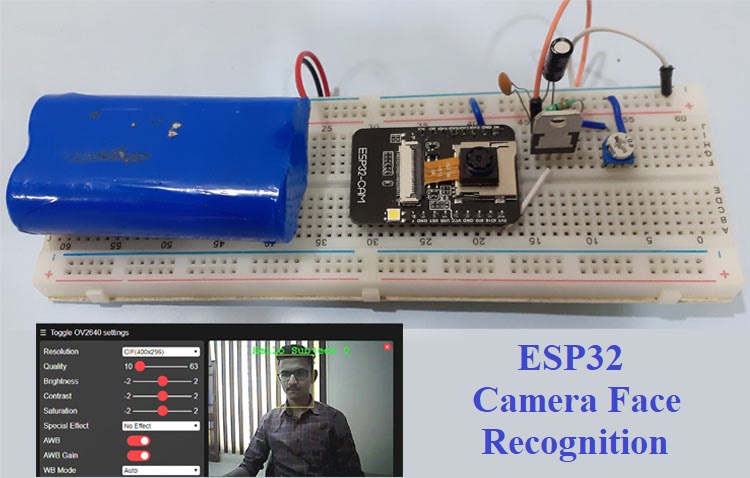
AI
How to use ESP32 Camera Module for Video Streaming and Face Recognition
In this project, we are going to build a Face Recognition System using ESP32-CAM which will also work as an ESP32-CAM Security system by rec...
View project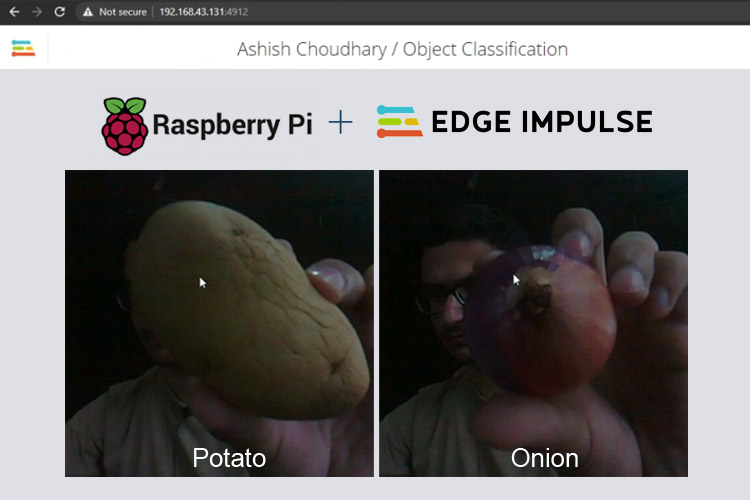
AI
Object Classification using Edge Impulse TinyML on Raspberry Pi
In this tutorial, we are going to train an image classifier model on Edge Impulse and then deploy it on Raspberry Pi.
View project